|
データシートサーチシステム |
|
|
データシートサーチシステム |
|
GD25LE128DSJS データシート(PDF) 52 Page - GigaDevice Semiconductor (Beijing) Inc. |
|
|
|||||||||||||||||||||||||||||
GD25LE128DSJS データシート(HTML) 52 Page - GigaDevice Semiconductor (Beijing) Inc. |
|
|
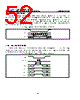
52 / 78 page  1.8V Uniform Sector Dual and Quad Serial Flash GD25LE128D 52 7.34. Enable QPI (38H) The device support both Standard/Dual/Quad SPI and QPI mode. The “Enable QPI (38H)” command can switch the device from SPI mode to QPI mode. See the command Table 2a for all support QPI commands. In order to switch the device to QPI mode, the Quad Enable (QE) bit in Status Register-1 must be set to 1 first, and “Enable QPI (38H)” command must be issued. If the QE bit is 0, the “Enable QPI (38H)” command will be ignored and the device will remain in SPI mode. When the device is switched from SPI mode to QPI mode, the existing Write Enable Latch and Program/Erase Suspend status, and the Wrap Length setting will remain unchanged. Figure36. Enable QPI mode command Sequence Diagram Command 0 1 2 3 4 5 6 7 38H CS# SCLK SI 7.35. Disable QPI (FFH) To exit the QPI mode and return to Standard/Dual/Quad SPI mode, the “Disable QPI (FFH)” command must be issued. When the device is switched from QPI mode to SPI mode, the existing Write Enable Latch and Program/Erase Suspend status, and the Wrap Length setting will remain unchanged. Figure37. Disable QPI mode command Sequence Diagram CS# SCLK IO0 IO1 IO2 IO3 0 1 Command FFH |
|
リンク URL |
| ALLDATASHEETはお客様のビジネスに役立ちますか? [ DONATE ] |
Alldatasheetは | 広告 | お問い合わせ | プライバシーポリシー | データシートへのリンク | リンク交換 | メーカーリスト All Rights Reserved©Alldatasheet.com |
| Russian : Alldatasheetru.com | Korean : Alldatasheet.co.kr | Spanish : Alldatasheet.es | French : Alldatasheet.fr | Italian : Alldatasheetit.com Portuguese : Alldatasheetpt.com | Polish : Alldatasheet.pl | Vietnamese : Alldatasheet.vn Indian : Alldatasheet.in | Mexican : Alldatasheet.com.mx | British : Alldatasheet.co.uk | New Zealand : Alldatasheet.co.nz |
|
Family Site : ic2ic.com |
icmetro.com |
 Japanese ▼
 English
 Chinese
 German
 Japanese
 Russian
 Korean
 Spanish
 French
 Italian
 Portuguese
 Polish
 Vietnamese
 Indian
 Mexican
 British
 New Zealand