|
データシートサーチシステム |
|
|
データシートサーチシステム |
|
FM25V10 データシート(PDF) 3 Page - Ramtron International Corporation |
|
|
|||||||||||||||||||||||||||||
FM25V10 データシート(HTML) 3 Page - Ramtron International Corporation |
|
|
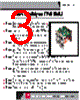
3 / 8 page  How to build your TWR-FRAM Download software from www.ramtron.com/go/TWR-FRAM Step 1 Download and install software from www.ramtron.com/go/TWR-FRAM. Download Quick Start Guide and supporting files. Step 2 Install 3V lithium battery on the TWR-FRAM board. The clip is rigid; please use care when installing the battery. Step 3 Locate the Elevator Modules (sold separately), identified by the four card-edge connections. Step 4 Identify each Elevator Module as either Primary Elevator (white connections) or Secondary Elevator (black connections). Step 5 Plug primary connections side of the TWR-FRAM board to the Primary Elevator. Place the TWR-FRAM in top position of the Elevator (see inset photo). This provides easy access to the jumper pins. Step 6 Identify the primary and secondary card edges of the Processor Module (TWR-K53N512 or similar device) and any additional modules you add to your tower system. Step 7 Plug the primary card edge of each module into the Primary (functional) Elevator. Step 8 Place the Secondary Elevator module onto the secondary card edges. Step 9 Follow instructions in the Quick Start Guide. 3 3 3 3 3 3 3 3 3 read me first |
|
|
リンク URL |
| ALLDATASHEETはお客様のビジネスに役立ちますか? [ DONATE ] |
Alldatasheetは | 広告 | お問い合わせ | プライバシーポリシー | データシートへのリンク | リンク交換 | メーカーリスト All Rights Reserved©Alldatasheet.com |
| Russian : Alldatasheetru.com | Korean : Alldatasheet.co.kr | Spanish : Alldatasheet.es | French : Alldatasheet.fr | Italian : Alldatasheetit.com Portuguese : Alldatasheetpt.com | Polish : Alldatasheet.pl | Vietnamese : Alldatasheet.vn Indian : Alldatasheet.in | Mexican : Alldatasheet.com.mx | British : Alldatasheet.co.uk | New Zealand : Alldatasheet.co.nz |
|
Family Site : ic2ic.com |
icmetro.com |
 Japanese ▼
 English
 Chinese
 German
 Japanese
 Russian
 Korean
 Spanish
 French
 Italian
 Portuguese
 Polish
 Vietnamese
 Indian
 Mexican
 British
 New Zealand