|
データシートサーチシステム |
|
|
データシートサーチシステム |
|
LP2W-26G-R-Z データシート(PDF) 14 Page - Copal Electronics |
|
|
|||||||||||||||||||||||||||||
LP2W-26G-R-Z データシート(HTML) 14 Page - Copal Electronics |
|
|
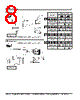
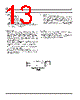
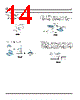
14 / 14 page  ■ Precautions 5.Mounting Procedures ⑴ Removal of the cap Use the notch on the side of the cap and pull up. Remove the cap with the switch in the up position. LP ⑷ Panel cutout When cutting out the panel, press through the panel from the front side. Also make sure to mount the switch from the front side of the panel as shown in the figure below. This will help the mount spring on both sides of the switch latch on to the edge of the hole. Note that the vertical play of the switch when mounted is 0.3 mm max.. ⑶ Mounting the Switch Guard Concave Filter Cap Conve Concave Front side of the panel Back side of the panel ⑵ Mounting the cap A) Insert the Älter into the cap. The Älter is reversible. B) Mate and snap in the two recesses on the inner side of the cap to the tabs on the side of the actuator of the switch. |
|
|
リンク URL |
| ALLDATASHEETはお客様のビジネスに役立ちますか? [ DONATE ] |
Alldatasheetは | 広告 | お問い合わせ | プライバシーポリシー | データシートへのリンク | リンク交換 | メーカーリスト All Rights Reserved©Alldatasheet.com |
| Russian : Alldatasheetru.com | Korean : Alldatasheet.co.kr | Spanish : Alldatasheet.es | French : Alldatasheet.fr | Italian : Alldatasheetit.com Portuguese : Alldatasheetpt.com | Polish : Alldatasheet.pl | Vietnamese : Alldatasheet.vn Indian : Alldatasheet.in | Mexican : Alldatasheet.com.mx | British : Alldatasheet.co.uk | New Zealand : Alldatasheet.co.nz |
|
Family Site : ic2ic.com |
icmetro.com |
 Japanese ▼
 English
 Chinese
 German
 Japanese
 Russian
 Korean
 Spanish
 French
 Italian
 Portuguese
 Polish
 Vietnamese
 Indian
 Mexican
 British
 New Zealand