 |
データシートサーチシステム |
|
|
データシートサーチシステム |
|
The question interval is too short.
Please try again in a few seconds.

Hello, Please ask a question about EV6000 Datasheet
# Example questions:
➢ What is the purpose of the 'zp' command in the ev6020/ev6040 diagnostic firmware?
➢ What configuration word values are preset for pic 16c74jw/16lc74jw and pic 16c74ajw/16lc74ajw respectively?
➢ What is the function of port a bit 3 when using the 'f!' or 'f@' utilities and how is it connected on the ev6020/ev6040?
| Part No. | EV6000 |
| Manufacturer | CMLMICRO |
| Size | 431 Kbytes |
| Pages | 18 pages |
| Description | CML Semiconductor Products |








1. Hardware Overview
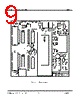
️· Board Types: The document covers the EV6020 and EV6040 evaluation boards, as part of a larger system.
️· Connectors: Important connectors include:
- J2: Used for extended data transfer and clock signals. Pin 1 is for the clock output, and Pin 2 is for data.
️· I/O Ports: I/O ports 5 through 9 are used for accessing specific functions on the board (detailed in the "Important Notes" section).
️· Pull-up Resistor: The data line (J2 Pin 2) has a weak pull-up resistor, which might necessitate careful signal handling.
2. Software (Programming)
️· Programming Software: The programming software is written for the PIC microcontroller.
️· Configuration Word: The configuration word is pre-set for things like crystal oscillator, watchdog timer, power-up timer, and code protection.
️· File Format: Programming files must be in Intel HEX format (.HEX).
️· Reset Switch: After programming or performing certain functions, the target microcontroller needs to be manually reset using the RESET switch on the evaluation board.
️· Diagnostic Firmware: A pre-programmed diagnostic firmware (EF6000) is provided.
3. Diagnostic/Utility Functions (Accessed via Terminal Emulator)
These are commands you enter through a terminal emulator connected to the board. The document organizes them into:
️· Set-up Commands:
- `6020`: Configures for EV6020.
- `6040`: Configures for EV6040.
- `dbit`: Sets data bits.
- `zp`: Enters zero-power mode.
- `zpirq`: Zero power with IRQ detection.
- `alert`: Tone alert detect.
- `rx&tx`: Receiver and transmitter mode
- `tx`: Transmitter only mode
- `rx`: Receiver only mode
️· Utilities:
- `f!` : Writes hex data to register.
- `f@`: Reads register value.
- `echo`: Test mode (repeats entered text).
- `dtmf`: Transmits DTMF signals.
- `txalt`: Continuous transmission of "10101010" pattern
️· Functions:
- `rxfsk`: Interprets FSK data (displays as ASCII).
- `txtxt`: Transmits text data.
- `txext`: Transmits raw data.
- `rxext`: Receives raw data.
4. Important Notes and Limitations
️· Terminal Emulator Compatibility: Some terminal emulators may not fully support hardware flow control, leading to data loss when transferring files.
️· Weak Pull-up Resistor: The data line (J2 pin 2) has a 1MΩ pull-up resistor, requiring careful signal conditioning.
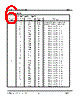
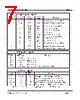
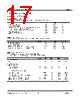
️· I/O Port Mapping: The I/O ports (5-9) control specific functions and are mapped to EV6020/EV6040 connections. (See table in the document)
️· Manual Reset: Manual resetting with the RESET switch is often required for commands to work correctly.
1. Hardware Overview
️· Board Types: The document covers the EV6020 and EV6040 evaluation boards, as part of a larger system.
️· Connectors: Important connectors include:
- J2: Used for extended data transfer and clock signals. Pin 1 is for the clock output, and Pin 2 is for data.
️· I/O Ports: I/O ports 5 through 9 are used for accessing specific functions on the board (detailed in the "Important Notes" section).
️· Pull-up Resistor: The data line (J2 Pin 2) has a weak pull-up resistor, which might necessitate careful signal handling.
2. Software (Programming)
️· Programming Software: The programming software is written for the PIC microcontroller.
️· Configuration Word: The configuration word is pre-set for things like crystal oscillator, watchdog timer, power-up timer, and code protection.
️· File Format: Programming files must be in Intel HEX format (.HEX).
️· Reset Switch: After programming or performing certain functions, the target microcontroller needs to be manually reset using the RESET switch on the evaluation board.
️· Diagnostic Firmware: A pre-programmed diagnostic firmware (EF6000) is provided.
3. Diagnostic/Utility Functions (Accessed via Terminal Emulator)
These are commands you enter through a terminal emulator connected to the board. The document organizes them into:
️· Set-up Commands:
- `6020`: Configures for EV6020.
- `6040`: Configures for EV6040.
- `dbit`: Sets data bits.
- `zp`: Enters zero-power mode.
- `zpirq`: Zero power with IRQ detection.
- `alert`: Tone alert detect.
- `rx&tx`: Receiver and transmitter mode
- `tx`: Transmitter only mode
- `rx`: Receiver only mode
️· Utilities:
- `f!` : Writes hex data to register.
- `f@`: Reads register value.
- `echo`: Test mode (repeats entered text).
- `dtmf`: Transmits DTMF signals.
- `txalt`: Continuous transmission of "10101010" pattern
️· Functions:
- `rxfsk`: Interprets FSK data (displays as ASCII).
- `txtxt`: Transmits text data.
- `txext`: Transmits raw data.
- `rxext`: Receives raw data.
4. Important Notes and Limitations
️· Terminal Emulator Compatibility: Some terminal emulators may not fully support hardware flow control, leading to data loss when transferring files.
️· Weak Pull-up Resistor: The data line (J2 pin 2) has a 1MΩ pull-up resistor, requiring careful signal conditioning.
️· I/O Port Mapping: The I/O ports (5-9) control specific functions and are mapped to EV6020/EV6040 connections. (See table in the document)
️· Manual Reset: Manual resetting with the RESET switch is often required for commands to work correctly.
| Part No. | EV6000 |
| Manufacturer | CMLMICRO |
| Size | 431 Kbytes |
| Pages | 18 pages |
| Description | CML Semiconductor Products |
| ALLDATASHEETはお客様のビジネスに役立ちますか? [ DONATE ] |
Alldatasheetは | 広告 | お問い合わせ | プライバシーポリシー | データシートへのリンク | リンク交換 | メーカーリスト All Rights Reserved©Alldatasheet.com |
| Russian : Alldatasheetru.com | Korean : Alldatasheet.co.kr | Spanish : Alldatasheet.es | French : Alldatasheet.fr | Italian : Alldatasheetit.com Portuguese : Alldatasheetpt.com | Polish : Alldatasheet.pl | Vietnamese : Alldatasheet.vn Indian : Alldatasheet.in | Mexican : Alldatasheet.com.mx | British : Alldatasheet.co.uk | New Zealand : Alldatasheet.co.nz |
|
Family Site : ic2ic.com |
icmetro.com |
 Japanese ▼
  English
 Chinese
 German
 Russian
 Korean
 Spanish
 French
 Italian
 Portuguese
 Polish
 Vietnamese
 Indian
 Mexican
 British
 New Zealand