|
データシートサーチシステム |
|
|
データシートサーチシステム |
|
EV6000 データシート(PDF) 14 Page - CML Microcircuits |
|
|
|||||||||||||||||||||||||||||
EV6000 データシート(HTML) 14 Page - CML Microcircuits |
|
|
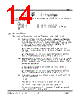
14 / 18 page  Evaluation Kit User Manual for PIC Board EV6000 © 1996 Consumer Microcircuits Limited 14 UM6000/3 _rxd PORT C bit 1 _lvcp PORT C bit 2 ( _txd for EV6040) _muten PORT C bit 3 ( _rxeq for EV6040) If the user wished to manually enable the near end speech path (from TP18 to the line), the following commands would be entered: >ok f!<Return> >05 08<Return> ; sets HI port A bit 3, energising relay 1 >07 08<Return> ; sets HI port C bit 3, enables speech input (TP18) ><Esc> >ok 1.6.2.3 Applications Software (a) Application/Demonstration Commands (Press <Esc> to exit these functions) cas Follows the CAS detection part of the CIDCW algorithm detailed in the FX602 data sheet. Near end speech is input between TP18 and VSS (TP1 or TP2 ). If the detect output is set for a time longer than T1, the near end speech path (TP18 to the line) is muted. If the detect output then remains set (making a total detect time longer than T3 but less than 65ms) then, after a quiet period of 50ms, the DTMF digit "D" acknowledgement tone is transmitted down the line. Once this sequence has been completed, or aborted for not meeting a timing requirement, the near end speech path is un-muted and the FX602 returned to tone alert mode. On the EV6020 board, the line termination resistor R20 ( ≈ 600Ω) should be fitted. Note that this software does not present an off hook dc load to the line. casd Operates as above, but two decimal counters are run. The first counts the number of times the near end speech is muted and the second counts the number of times the DTMF acknowledgement is sent. The results are displayed and updated in the form: M=00000000,A=00000000.> where M represents mutes of the near end speech path and A represents acknowledgement tones sent. On the EV6020 board, the line termination resistor R20 ( ≈ 600Ω) should be fitted. Note that this software does not present an off hook dc load to the line. cast This enables the user to adjust the CAS detection algorithm timings T1 and T3. The user is prompted as follows: T1=3A98> Type <Return> for no change, or enter the new setting (in µs) in hex. e.g. For T1 = 10ms = 10,000 µs = 2710hex, type 2710<Return> The user is then prompted to alter T3 in the same way. The default settings are T1 = 15ms = 3A98hex and T3 = 25ms = 61A8hex. |
|
|
リンク URL |
| ALLDATASHEETはお客様のビジネスに役立ちますか? [ DONATE ] |
Alldatasheetは | 広告 | お問い合わせ | プライバシーポリシー | データシートへのリンク | リンク交換 | メーカーリスト All Rights Reserved©Alldatasheet.com |
| Russian : Alldatasheetru.com | Korean : Alldatasheet.co.kr | Spanish : Alldatasheet.es | French : Alldatasheet.fr | Italian : Alldatasheetit.com Portuguese : Alldatasheetpt.com | Polish : Alldatasheet.pl | Vietnamese : Alldatasheet.vn Indian : Alldatasheet.in | Mexican : Alldatasheet.com.mx | British : Alldatasheet.co.uk | New Zealand : Alldatasheet.co.nz |
|
Family Site : ic2ic.com |
icmetro.com |
 Japanese ▼
 English
 Chinese
 German
 Japanese
 Russian
 Korean
 Spanish
 French
 Italian
 Portuguese
 Polish
 Vietnamese
 Indian
 Mexican
 British
 New Zealand